
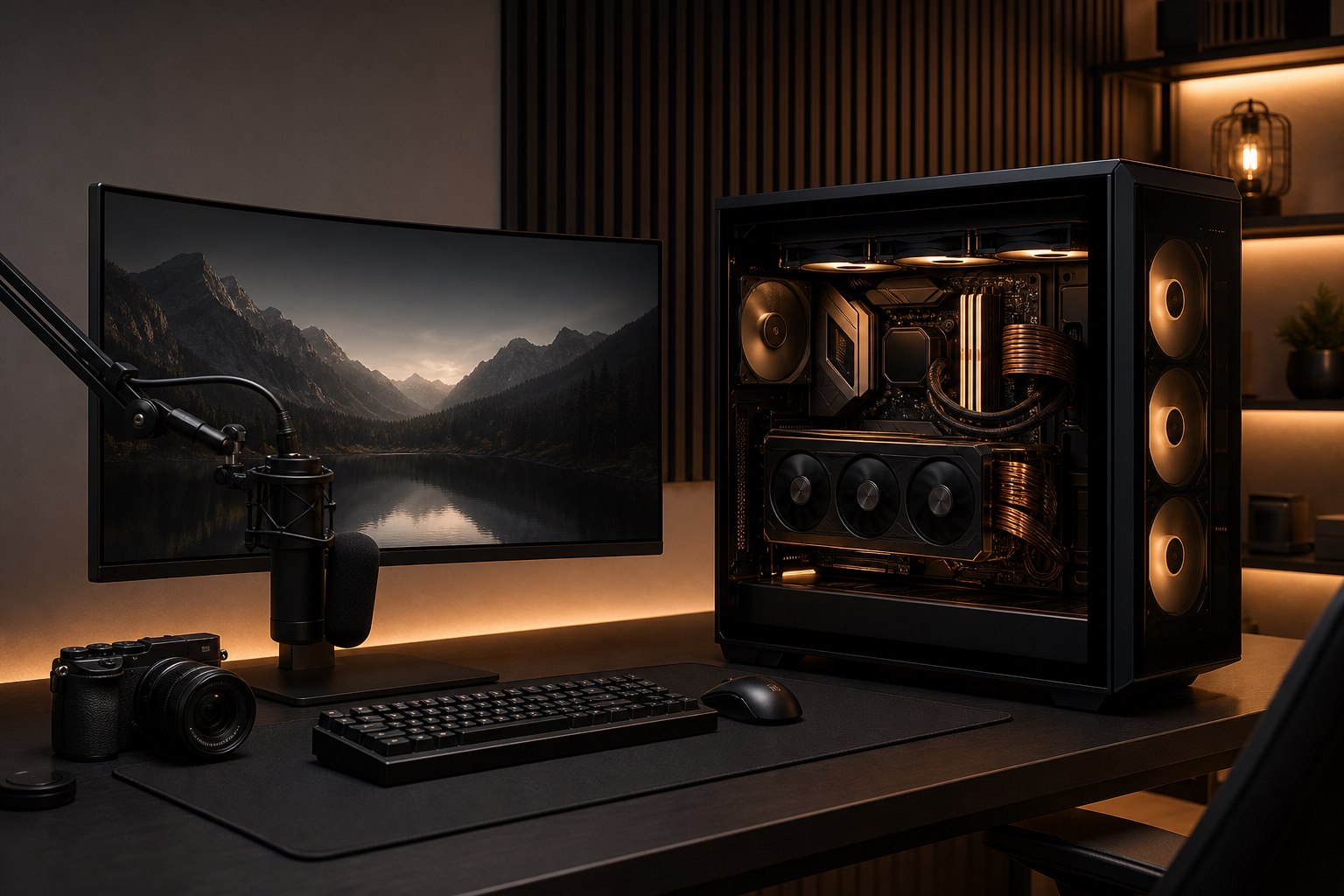
How to Plan a High-End Gaming and Creator PC Without Bottlenecks
A high-end PC should feel fast, quiet, stable, and deliberate. It should not be a collection of impressive parts competing for power, airflow, space, or budget. The best result comes from defining the workload first, then selecting components that support one another as a complete system.
For gamers, streamers, editors, designers, and technical professionals, "the fastest" can mean very different things. A system built for high-refresh competitive gaming has different priorities from a 4K editing workstation, a quiet music-production computer, or a single-PC streaming rig. Planning those priorities before purchasing avoids expensive bottlenecks and unnecessary compromises.
Start with the displays and the work
The monitor is part of the performance specification. Resolution, refresh rate, panel count, connection type, variable refresh support, and colour requirements all influence the graphics workload and user experience.
A gaming build targeting 1080p at very high frame rates may lean more heavily on CPU performance than a 4K system where the graphics card carries more of the workload. Intel’s guidance on PC bottlenecks similarly notes that CPU and GPU balance depends on the game, settings, and target frame rate.
Creator workloads add another layer. Ask which applications are used, what codecs and media resolutions are involved, how many camera angles are edited, whether effects are GPU-accelerated, and how quickly large files must be imported, cached, rendered, and archived. Software compatibility matters more than a generic benchmark score.
Balance the CPU and GPU around real workloads
The graphics card may be the centrepiece of a gaming PC, but it cannot compensate for every other limitation. A CPU that cannot prepare frames quickly enough, inadequate memory, slow storage, thermal throttling, or background production workloads can prevent an expensive GPU from reaching its potential.
Conversely, buying the highest-tier processor while using a modest GPU at 4K may provide little benefit for a graphics-limited game. The right balance depends on resolution, refresh rate, title selection, multitasking, and creator applications.
For a streaming system, encoder choice also matters. The OBS Project generally recommends modern hardware encoders because they move video encoding to specialized GPU hardware and reduce CPU load. That can make a well-balanced single-PC setup practical, while demanding productions with complex scenes, simultaneous recording, or strict reliability requirements may justify a dual-PC workflow.
Choose memory for capacity, stability, and the platform
Memory specifications are easy to reduce to speed and capacity, but platform compatibility and stability are equally important. Gaming, browser tabs, voice chat, capture software, creative applications, virtual machines, and large project files can all compete for memory.
Capacity should reflect the heaviest realistic workload, not the lightest benchmark. Memory configuration, module count, motherboard support, and controller limits should be considered together. An aggressive setting that looks good on paper is not an improvement if it creates intermittent crashes or requires constant tuning.
Design storage around active work and recovery
One drive can hold Windows, games, recordings, project files, and applications, but separating workloads can improve organization, capacity planning, and recovery. A creator workstation may benefit from distinct operating-system, project, cache, and archive strategies. A large game library may prioritize capacity, while high-bitrate capture and editing need sustained write performance and predictable free space.
Storage planning should also include backup. Redundant drives can improve availability in some configurations, but redundancy is not a substitute for a separate, tested backup. Decide which files are irreplaceable, how quickly they change, and where a protected second copy will live.
Treat cooling, acoustics, and power as performance components
High-performance hardware creates heat. If the case, cooler, fan layout, room conditions, and control curves cannot remove that heat efficiently, components may reduce performance or produce unnecessary noise.
Good thermal design considers:
- Case airflow and unobstructed intake paths
- CPU-cooler capacity and mounting clearance
- Graphics-card dimensions, cooling design, and fresh-air access
- Fan quality, placement, and sensible control curves
- Cable routing that supports airflow and serviceability
- Dust management and maintenance access
- The temperature and ventilation of the room itself
Power-supply selection is equally important. Capacity, electrical quality, connector support, efficiency, transient behaviour, and an appropriate margin for future upgrades should be evaluated together. Oversizing without purpose is not the goal; selecting a high-quality unit suited to the actual system is.
Plan the complete desk, not just the tower
A premium gaming or creator setup includes displays, keyboard, mouse, controllers, camera, microphone, audio interface, lighting, capture devices, speakers or headphones, networking, power protection, and ergonomics. Port selection and cable routing become important quickly, especially with multiple high-resolution displays and USB devices.
Network design also affects the result. Competitive gaming and reliable streaming benefit from a low-latency wired connection where practical. OBS advises that an unstable network can produce dropped frames even when the computer itself is capable of encoding the stream.
2Tech Computing can combine a high-end custom PC build with gaming PC setup and optimization or a complete streaming and content creator setup. That allows the tower, peripherals, displays, audio, camera, lighting, OBS configuration, and network to be validated as one workflow.
Validate before delivery
A new system should be tested under loads that resemble its intended use. Validation may include firmware and driver review, memory testing, storage health, thermal behaviour, sustained CPU and GPU load, application checks, audio routing, capture devices, and sleep or restart behaviour.
Benchmarks can confirm performance, but stability and usability matter just as much. The cleanest cable management and most powerful components mean little if the system crashes during a long render, drops a camera, or becomes distractingly loud under normal work.
Frequently asked questions
Does every high-end gaming PC need the most expensive GPU?
No. The right GPU depends on resolution, refresh rate, game selection, visual settings, creator workloads, and the rest of the platform. Balance is more valuable than buying one flagship component by default.
Is a dual-PC streaming setup still necessary?
Not always. Modern hardware encoders make excellent single-PC streaming possible for many creators. Dual-PC setups remain useful for certain complex, high-reliability, or multi-output workflows.
How much memory does a creator PC need?
It depends on the applications, project size, codecs, multitasking, and whether the system also streams or runs virtual machines. Capacity should be based on measured or expected peak workloads.
Can an existing gaming PC be upgraded instead of replaced?
Often, but compatibility, power, cooling, case clearance, platform age, and the likely performance gain should be assessed first. A targeted upgrade is worthwhile only when the whole system can support it properly.
Build for the experience you want
A premium computer should be engineered around how you play, create, and work—not around a generic parts list. Contact 2Tech Computing to plan a high-end custom gaming PC, creator workstation, or complete studio setup in Maple Ridge or elsewhere in BC.
0 comments